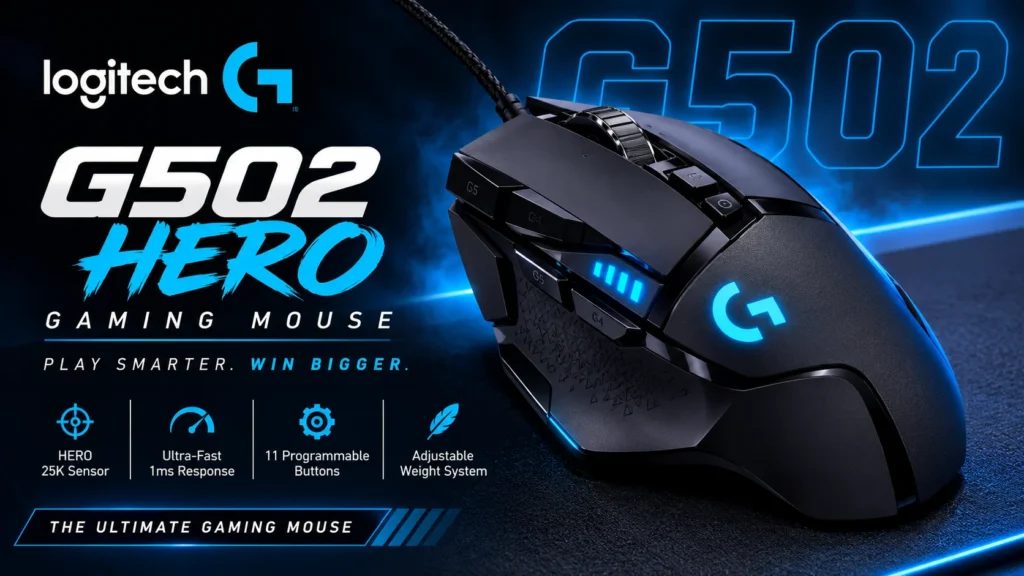

The Logitech G502 HERO gaming mouse is still a versatile, comfortable palm-grip mouse with 11 programmable buttons, an adjustable weight system and one of the best scroll wheels around, and it now costs about $35 to $40 in many stores.
The catches are real: it is wired only, it weighs 121 g, and its extra buttons are easy to press by accident. Logitech has also replaced it with the lighter G502 X family.
In this guide, we explain the specs in plain English, cover comfort, buttons, weight and performance, and compare the HERO with the newer G502 X. We list the honest pros and cons, and say who should buy it and who should skip it.
We haven’t tested the mouse ourselves. This review is based on Logitech’s specs and published expert reviews. This is an information blog, so we don’t sell mice or offer downloads. Check Logitech’s official site for current prices and specs.
Quick Facts
- Model: Logitech G502 HERO (wired)
- Shape: large, right-handed, built for palm grip
- Sensor: HERO, 100 to 25,600 DPI
- Weight: 121 g, mouse only, with up to 18 g of optional weights
- Size: 132 x 75 x 40 mm
- Buttons: 11 programmable
- Connection: wired USB, 2.1 m cable
- Price: often about $35 to $40 in stores, with a $69.99 list price. Check before buying.
- Last checked: [add date before publishing]
- Note: This is an information blog. We don’t sell mice or offer downloads.
Which G502 Is This? HERO vs LIGHTSPEED vs G502 X
Logitech’s G502 range is confusing, so here is how it lines up. Logitech describes two generations: the G502 HERO and LIGHTSPEED, and the newer G502 X series. Weights below come from Logitech’s own comparison page.
| Model | Connection | Weight (chassis) | Lighting |
| G502 HERO (this review) | Wired | 121 g, or up to 139 g with weights | 1 zone |
| G502 LIGHTSPEED | Wireless | 114 g to 130 g | 2 zones |
| G502 X | Wired | 89 g | Yes |
| G502 X LIGHTSPEED | Wireless | 102 g | None |
| G502 X PLUS | Wireless | 106 g | 8 zones |
RTINGS describes the G502 X as the updated version of the HERO, with better switches in the left and right buttons, a big weight reduction and better feet. It measured 83.7 g for the X against 120.7 g for the HERO. The HERO also comes in special editions, including a KDA version.
Logitech G502 HERO Specs Explained
| Spec | Value | What it means |
| Sensor | HERO optical | The part that tracks your hand movement. Logitech says it has zero smoothing, filtering or acceleration. |
| DPI | 100 to 25,600 | DPI (dots per inch) sets how far the cursor moves per inch of hand movement. |
| Max speed | Over 400 IPS | Inches per second the sensor can track before it loses accuracy. |
| Max acceleration | Over 40 G | How hard you can flick the mouse before tracking breaks. Tested on Logitech’s G240 pad. |
| Report rate | 1,000 Hz (1 ms) | How often the mouse reports its position. |
| Buttons | 11 programmable | Includes thumb buttons, a DPI Shift (sniper) button and scroll-wheel tilt buttons. |
| Weight | 121 g | Mouse only. Five 3.6 g weights add up to 18 g. |
| Size | 132 x 75 x 40 mm | Length, width and height. |
| Cable | 2.1 m | One retailer’s text describes it as braided. |
| Lighting | LIGHTSYNC RGB | Customizable through Logitech G HUB. |
| Compatibility | Windows 7 or later, macOS 10.11 or later, ChromeOS | Per Logitech’s spec page. G HUB is optional. |
One detail to know: PC Gamer’s review of the 2018 launch version lists a 16,000 DPI sensor, while current Logitech and retailer listings say 25,600 DPI. Check Logitech’s official page for the exact spec of the version you buy.
Shape and Comfort
The G502 is a big mouse built for palm grip, where your whole palm rests on the mouse. PC Gamer calls it the go-to heavy palm-grip mouse and says the prominent arch is comfortable. But the steep, contoured main buttons make it less suited to other grips. The mouse wants your fingers to lie flat in the grooves, so a fingertip grip feels less natural.
The shape is also unusual. PC Gamer notes that the left click is concave, while the right click is convex and slopes away, and that the right button can feel as though your finger is slipping off. It is right-handed, according to PC Gamer and B&H, so left-handers should look elsewhere.
Weight and the Adjustable Weights
Weight is the G502 HERO’s biggest talking point. At 121 g, PC Gamer says it is bigger and heavier than it would recommend to most gamers. Custom PC found it too heavy for its liking. PC Gamer also generally recommends lighter mice for FPS players, noting that even a 10 g difference is noticeable.
On the other side, the HERO comes with five 3.6 g weights that fit in a cavity on the underside, adding up to 18 g. Logitech says you can arrange them in front, rear, left, right or center configurations to tune the balance. The weights can only make the mouse heavier, and RTINGS notes that the lightest the HERO gets is about 120.7 g. If you want a lighter G502, Logitech’s G502 X weighs 89 g.
Buttons and Scroll Wheel
The HERO has 11 programmable buttons. Two large thumb buttons are easy to press by rocking your thumb upward, and PC Gamer found them well placed and clicky. A DPI Shift button, also called a sniper button, sits at the tip of the thumb. By default it temporarily lowers your DPI for precise aim.
The scroll wheel is a highlight. PC Gamer says it is one of the best it has used, with a satisfying metal feel. A button below it switches between smooth free-scrolling and notched scrolling, and you can tilt the wheel left and right for more inputs. Custom PC found the metal wheel slippery, though.
The drawback is the two small buttons next to the left click. PC Gamer says they are too easy to press by accident, and by default they change DPI, so you can send your cursor flying mid-click. You can rebind or disable them in software. Trusted Reviews also listed the extra buttons as a nuisance.
Sensor and Performance
The sensor is excellent. Custom PC could not fault the HERO’s tracking, and PC Gamer says it has no acceleration or jitter issues. But PC Gamer also points out that most people won’t notice any difference from the older PMW3366 sensor, which performed nearly flawlessly up to 12,000 DPI.
High DPI numbers matter less than they sound. PC Gamer says most players use well under 2,000 DPI, so the 25,600 figure is mostly headroom. Custom PC makes a related point: for games that don’t involve lots of fast mouse movement, you don’t need the fancy sensor, and the weight matters less.
Software, Onboard Memory and Lighting
The mouse works with Logitech G HUB, which lets you remap buttons, record macros, adjust DPI steps and set lighting. Logitech says you can save up to five profiles on the mouse itself, so your settings follow it from PC to PC. B&H lists 16.8 million colors for the RGB lighting, which is limited to a single zone on the HERO.
PC Gamer called an early version of G HUB lighter and prettier than Logitech’s old driver, though less feature-packed than some rivals.
Price and Value
The G502 HERO is now a bargain. PC Gamer’s price widget showed offers from about $34 to $40 against a $69.99 list price, and Custom PC said to expect to pay about $40 (£38). A special edition was listed at $52.89 on one comparison site. For context, the wireless G502 X PLUS had a $159 MSRP at launch, according to HotHardware. Prices change often, so check before you buy.
Logitech G502 HERO Pros and Cons
Pros
- Comfortable, versatile shape for palm grip
- 11 programmable buttons for MMOs, RTS games and productivity
- Adjustable weights to tune the balance
- One of the best scroll wheels on any mouse
- Accurate HERO sensor
- Low price now
- Onboard memory for profiles
Cons
- Heavy at 121 g, and the weights only add more
- Wired only
- Extra buttons are easy to press by accident
- Not ideal for fingertip or claw grips
- Right-handed only
- Stiff cable, per Custom PC
- The sensor upgrade is hard to notice in daily use
G502 HERO vs G502 X: Which Should You Buy?
Buy the HERO if you want the cheapest G502, like heavy mice, and want adjustable weights.
Buy the G502 X if you want a lighter mouse. RTINGS says it has upgraded switches, much lower weight and better feet, and the DPI Shift button is reversible and removable on Logitech’s page. It costs more, and it has no adjustable weights.
Consider the wireless versions if you hate cables. The G502 X LIGHTSPEED and X PLUS weigh 102 g and 106 g, but cost much more.
Who Should Buy the G502 HERO (and Who Should Skip It)
Buy it if you use a palm grip, play MMOs, strategy or other button-heavy games, want a cheap, durable mouse, and don’t mind weight.
Skip it if you play fast-paced FPS games, use a fingertip or claw grip, are left-handed, want wireless, or prefer a light mouse. The newer G502 X or a different shape may suit you better.
What Other Experts Say
PC Gamer scored the G502 HERO 82 out of 100 in 2018 and called it a great heavy mouse with a better sensor. Custom PC gave it 76% and found it too heavy. Trusted Reviews found it an underwhelming update, with a lovely scroll wheel but annoying extra buttons. Coolblue’s expert review quotes a 9.4 out of 10 from 535 customer reviews. These reviews are from 2018 to 2021, but the mouse itself has barely changed, and we saw some of them only as search snippets.
Logitech G502 HERO FAQ
1. Is the Logitech G502 HERO still worth buying?
Yes, at about $35 to $40, if you like a heavy palm-grip mouse with lots of buttons. If you want a lighter mouse, look at the G502 X.
2. How much does the G502 HERO weigh?
121 g without weights, per Logitech. You can add up to 18 g with the included weights. RTINGS measured 120.7 g.
3. Is the G502 HERO wireless?
No. It is wired with a 2.1 m cable. Logitech’s G502 LIGHTSPEED and the G502 X LIGHTSPEED and PLUS are the wireless versions.
4. Is the G502 HERO good for FPS games?
It tracks accurately, but PC Gamer recommends lighter mice for FPS players, and the HERO’s weight and button layout aren’t ideal for fast aiming.
5. What is the difference between the G502 HERO and the G502 X?
The G502 X is lighter (89 g against 121 g), has upgraded switches and better feet, and has a reversible DPI Shift button. The HERO has adjustable weights and costs less.
Final Verdict on the Logitech G502 HERO
The Logitech G502 HERO gaming mouse is still a very capable, versatile mouse, and its low price makes it easy to recommend to palm-grip and button-heavy players. As of late 2026, it is a safe, cheap pick if you can live with the weight.
The drawbacks are real. It is heavy, wired and has extra buttons that cause misclicks, and the newer G502 X fixes some of those issues. Check Logitech’s official site for current prices and specs. This is an information blog: we don’t sell mice or offer downloads.
Sources
- Logitech support, G502 HERO specifications: https://support.logi.com/hc/en-gb/articles/360023303534-Specification-G502-HERO-Gaming-Mouse
- Logitech G, G502 HERO or G502 X comparison: https://www.logitechg.com/en-ae/discover/learn/g502-hero-vs-g502-x
- Logitech G, G502 HERO product page: https://www.logitechg.com/en-my/shop/p/g502-hero-gaming-mouse
- PC Gamer, Logitech G502 Hero review: https://www.pcgamer.com/uk/logitech-g502-hero-review