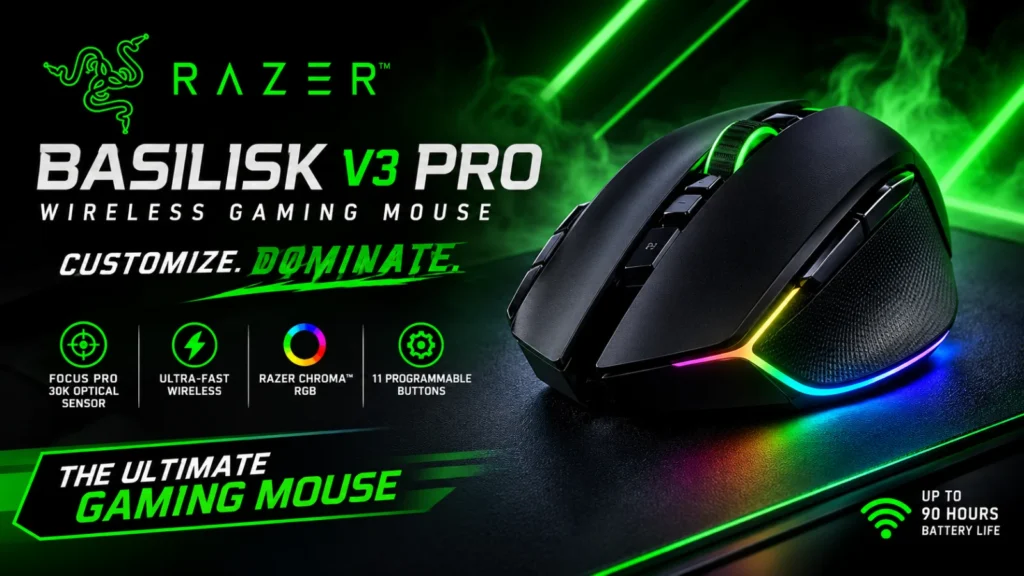

The Razer Basilisk V3 Pro wireless gaming mouse is still a very comfortable, feature-packed all-rounder, and it is much cheaper now than at launch. Reviewers praise its shape, its sensor and its customizable scroll wheel.
The catches are its weight, uneven battery claims and the fact that Razer has since released two newer versions: the V3 Pro 35K and, in October 2026, the Basilisk V4 Pro.
In this guide, we explain the specs in plain English, cover comfort, performance, battery life and price, and compare the V3 Pro with its newer siblings. We list the honest pros and cons, and say who should buy it and who should skip it.
We haven’t tested the mouse ourselves. This review is based on Razer’s published information and expert tests. This is an information blog, so we don’t sell mice or offer downloads. Check Razer’s official site for current prices and specs.
Quick Facts
- Model: Razer Basilisk V3 Pro (original, launched in 2022)
- Shape: ergonomic, right-handed
- Sensor: Razer Focus Pro 30K optical, up to 30,000 DPI
- Weight: 112 g, excluding the cable
- Connections: 2.4 GHz HyperSpeed wireless, Bluetooth and wired USB-C
- Buttons: 11 programmable
- Launch price: $159.99 / £159.99. Street prices are now lower, so check before buying.
- Last checked: [add date before publishing]
- Note: This is an information blog. We don’t sell mice or offer downloads.
Which Basilisk Is This? V3 Pro vs V3 Pro 35K vs V4 Pro
Razer’s naming is confusing, so here is how the models line up.
| Model | Key facts | Source |
| Basilisk V3 Pro (this review) | 30K sensor, 112 g, 11 buttons, wireless, launched 2022 | Tom’s Hardware, PC Gamer |
| Basilisk V3 Pro 35K | Same design and weight, 35K sensor, longer battery, released October 2024 | Tom’s Hardware |
| Basilisk V4 Pro | 14 controls, 50K sensor, true 8,000 Hz wireless, about 12 g lighter, announced 8 October 2026 | Razer newsroom |
| Basilisk V4 HyperSpeed | 94 g, 33K sensor, 12 controls, up to 140 hours | Razer newsroom |
Tom’s Hardware says the 35K model is identical to the original apart from the sensor and battery life, and that its main effect was making the original cheaper. Razer’s newsroom lists the V3 Pro as compatible with the new Mouse Dock V2 Pro.
Razer Basilisk V3 Pro Specs Explained
| Spec | Value | What it means |
| Sensor | Focus Pro 30K optical | The part that tracks your hand movement. Tom’s Hardware lists up to 750 IPS and 70 G of acceleration. |
| DPI | Up to 30,000 | DPI (dots per inch) sets how far the cursor moves per inch of hand movement. Very few people need more than a fraction of this. |
| Weight | 112 g | Heavier than ultralight mice. One reviewer measured 114 g on his own scale. |
| Size | 130 x 75.4 x 42.5 mm | Length, width and height. Reviewers say it suits medium to large hands. |
| Buttons | 11 programmable | Includes a thumb trigger button, a DPI button and a tilt scroll wheel. |
| Switches | Gen-3 optical | Optical switches use light to register a click instead of a metal contact. |
| Connectivity | 2.4 GHz, Bluetooth, wired | Wireless dongle, Bluetooth, or USB-C cable. |
| Onboard memory | 5 profiles | Settings saved inside the mouse, per one review. |
| Polling rate | Up to 1,000 Hz in the box | 4,000 Hz with the Mouse Dock Pro and 8,000 Hz with the HyperPolling dongle, both sold separately. |
| Lighting | Razer Chroma RGB | Customizable lighting, including underglow. |
The catch is that some figures vary by source and by version. Check Razer’s official page for the exact V3 Pro spec sheet.
Design and Comfort
Comfort is the V3 Pro’s biggest strength. Tom’s Hardware describes a contoured right-handed shell with a textured matte finish, glossy accents and rubberized side grips, and says it feels good in all grip styles and is comfortable all day. Trusted Reviews calls it super comfortable to hold. It comes in black or white.
The size can be a problem. RTINGS warns that smaller hands may find it too large for some grips. Tom’s Hardware notes that if you use a palm grip (resting your whole palm on the mouse), the trigger button sits right under your thumb and can be pressed by accident. At 112 g, it isn’t light. Tom’s Hardware says it can’t match ultralight esports mice for speed and maneuverability.
The mouse has a hidden compartment for the USB receiver, according to RTINGS, and a base puck that can be swapped for Razer’s wireless charging puck.
Performance: Is It Good for FPS?
It’s good, not elite. The Focus Pro 30K sensor is accurate across surfaces, and TechPowerUp praises excellent wireless performance and very low click latency. RTINGS rates the sensor outstanding. Trusted Reviews says it is a very good mouse for FPS thanks to its performance and DPI clutch, which is a button that temporarily drops your DPI for precise aim.
The limits are weight and polling. Tom’s Hardware says the V3 Pro works well for shooters thanks to its sniper button, but it’s outpaced by lighter esports mice. And 8,000 Hz polling needs extra hardware. Tom’s Hardware tested this on the 35K model and found that the battery dropped to just 28 hours at that setting, with little real-world gain over 1,000 Hz for most players.
Buttons, Scroll Wheel and Software
The V3 Pro has 11 programmable buttons and a tilting scroll wheel that offers a tactile mode and a free-spin mode, plus left and right tilt. Trusted Reviews and KitGuru both single out the scroll wheel. It works with Razer Synapse, Razer’s software, which lets you remap buttons, record macros and adjust DPI steps. Tom’s Hardware’s original review called Synapse the bane of its existence, so expect some software frustration.
If you want more buttons, RTINGS notes it doesn’t have as many as dedicated MMO mice, and Tom’s Hardware suggests the Logitech G502 X Plus for two extra side buttons.
Battery Life and Charging
Battery life is where sources disagree, so read carefully:
- Reviewed and KitGuru cite Razer’s advertised figure of up to 90 hours, and Reviewed notes that figure is without RGB lighting. Reviewed called the battery life with RGB dismal.
- Tom’s Hardware gave the original V3 Pro a rating of 120 hours over 2.4 GHz.
- TechPowerUp says the 600 mAh battery reaches a respectable life even with RGB on.
These figures are not directly comparable, and Razer may have updated its claims. Check Razer’s page for the current number. The mouse works with the Razer Mouse Dock Pro, which Tom’s Hardware lists at $60, and a $30 HyperPolling dongle. PC Gamer noted at launch that the mouse plus the dock and puck came to about $230.
Pros and Cons
Pros
- Supremely comfortable shape with grippy side panels
- Accurate sensor and low click latency
- Excellent tilting scroll wheel with two modes
- 11 programmable buttons and 5 onboard profiles
- Wireless, Bluetooth and wired connections
- Hidden storage for the receiver
- Often discounted since newer models launched
Cons
- Heavy at 112 g and too big for small hands
- Trigger button can be pressed by accident with a palm grip
- Battery life claims vary, and RGB drains it
- Charging dock and 8,000 Hz hardware cost extra
- Synapse software frustrates some reviewers
- Fewer buttons than a dedicated MMO mouse
Price and Value
The original launch price was $159.99 / £159.99, which PC Gamer called a big premium over the wired Basilisk V3. Tom’s Hardware found it on sale at $117 in October 2024 and said it would probably fall further. The 35K model kept the same $159.99 launch price. Razer’s official figure for the new V4 Pro was not available in the pages we read, but one French review quotes €179.99 from Razer’s site. Prices change often, so check before you buy.
V3 Pro vs V3 Pro 35K vs V4 Pro: Which to Buy?
Buy the V3 Pro if you find it on sale. It’s the same shape and weight as the 35K, and Tom’s Hardware found that the performance feels identical.
Buy the V3 Pro 35K only if it costs about the same. GamesRadar, writing about the 35K in 2025, said there were no major real-world benefits over the original and that falling prices on the original made the newer one a poor buy.
Consider the V4 Pro if you want the newest features. Razer says it has 14 controls, a 50K sensor, true 8,000 Hz wireless polling, up to 200 hours of battery at 1,000 Hz, and weighs 12 g less than its predecessor. Reviewers call it expensive but exceptionally comfortable. Check independent tests first, since it is brand new.
Who Should Buy the V3 Pro (and Who Should Skip It)
Buy it if you have medium to large hands, want one comfortable mouse for gaming and work, and can find it at a discount.
Skip it if you have small hands, want a lightweight esports mouse, are left-handed, or need a huge number of buttons for MMOs. It’s a right-handed design.
What Other Experts Say
Trusted Reviews calls the V3 Pro seriously powerful but expensive, and KitGuru rated it 9 out of 10. TechPowerUp praised the wireless performance. Reviewed liked the customization but criticized the battery life with RGB and the expensive dock. We saw several of these views only as search snippets.
Razer Basilisk V3 Pro FAQ
1. Is the Razer Basilisk V3 Pro good for FPS games?
It’s good, though not the lightest option. Reviewers praise its sensor and the DPI clutch, but at 112 g it can’t match the speed of ultralight esports mice.
2. How long does the Basilisk V3 Pro battery last?
Sources vary. Razer’s early figure was up to 90 hours (without RGB, per Reviewed), while Tom’s Hardware lists 120 hours over 2.4 GHz. RGB lighting shortens it. Check Razer’s page.
3. Does the Basilisk V3 Pro have Bluetooth?
Yes. It supports 2.4 GHz wireless, Bluetooth and a wired USB-C connection.
4. Is the Basilisk V3 Pro good for left-handed users?
No. Reviewers describe it as an ergonomic right-handed mouse.
5. What is the difference between the V3 Pro and the V4 Pro?
Razer says the V4 Pro adds 14 controls, a 50K sensor, true 8,000 Hz polling, more battery and 12 g less weight, and it costs more. The V3 Pro is the older, cheaper option with the same basic comfortable shape.
Final Verdict on the Razer Basilisk V3 Pro
The Razer Basilisk V3 Pro wireless gaming mouse is still a very comfortable, versatile mouse, and it is a better buy now that newer models have pushed its price down. As of late 2026, it’s easy to recommend at a discount to anyone with medium to large hands.
The drawbacks are real. It’s heavy, battery claims are murky, and the best features cost extra. If you want the latest tech, look at the Basilisk V4 Pro once independent reviews are in. Check Razer’s official site for current prices and specs. This is an information blog: we don’t sell mice or offer downloads.
Sources
- Tom’s Hardware, Razer Basilisk V3 Pro 35K review: https://www.tomshardware.com/peripherals/gaming-mice/razer-basilisk-v3-pro-35k-review-youve-seen-this-before
- Tom’s Hardware, Razer Basilisk V3 Pro review: https://www.tomshardware.com/reviews/razer-basilisk-v3-pro
- Razer Newsroom, Basilisk V4 line announcement: https://www.razer.com/newsroom/product-news/basilisk-v4-line
- RTINGS, Razer Basilisk V3 Pro review: https://www.rtings.com/mouse/reviews/razer/basilisk-v3-pro