
The best gaming mouse is the one that fits your hand, your grip and your games, not the one with the biggest spec numbers.
As of October 2026, PC Gamer’s tested list puts the Razer Viper V4 Pro first overall, the Glorious Model O Eternal first for wired, and the Mchose G3 V2 Pro first for budget wireless.
This guide turns those expert picks into a plain-English buying guide, with nine mice for different needs, from esports to MMOs to wrist comfort.
We explain the key terms, and we flag the honest drawbacks of every mouse, because even the best ones have them.
We haven’t tested these mice ourselves. The picks, specs and verdicts come from PC Gamer’s hands-on testing (last updated 29 October 2026), and we add other experts’ views where they differ.
This is an information blog, so we don’t sell mice or offer downloads. Prices change often, so check the official product page before you buy.
Quick Facts: The Picks at a Glance
- Source of picks: PC Gamer’s best gaming mouse list, last updated 29 October 2026
- Platforms: PC (all picks). Check each maker’s site for Mac support.
- Prices: list prices shown by PC Gamer, as of October 2026. Check the current price before buying.
- Last checked: [add date before publishing]
- Note: This is an information blog. We don’t sell mice or offer downloads.
| Pick | Best for | Weight | List price |
| Razer Viper V4 Pro | Best overall | 49 g | $159 / £160 |
| Glorious Model O Eternal | Best wired | 55 g | $40 / £30 |
| Mchose G3 V2 Pro | Best budget wireless | 59 g | $40 / £43 |
| Logitech G Pro X3 Superstrike | Best competitive | 59 g (US) / 61 g (EU) | $180 / £160 |
| Corsair Sabre V2 Pro | Best lightweight | 36 g | $80 / £70 |
| Corsair Scimitar Elite Wireless SE | Best MMO | 161 g | $98 / £108 |
| Logitech G Pro 2 Lightspeed | Best ambidextrous | 80 g | $118 / £110 |
| Keychron M5 | Best ergonomic | 95 g | $70 / £75 |
| SteelSeries Rival Pro | Best battery life | 53 g | $180 / £170 |
Best Gaming Mouse Picks for 2026
Best Overall: Razer Viper V4 Pro
PC Gamer calls this the best gaming mouse on the market right now and says its build quality is practically flawless. It weighs 49 g (black) or 50 g (white), uses a 50,000 DPI sensor, and connects by 2.4 GHz wireless or a USB-C cable. PC Gamer lists a battery life of 180 hours at 1,000 Hz. The shape is ambidextrous, with the side buttons on the right.
It suits players who want top performance for casual or competitive play. The drawbacks: it’s expensive, the optical clicks (switches that use light to register a press) are loud, and it has no RGB lighting or extra buttons.
Best Wired Gaming Mouse: Glorious Model O Eternal
This is the budget wired pick. It weighs 55 g, uses a PixArt PAW3311 sensor with 12,000 DPI, and has six buttons. PC Gamer says it offers a great blend of comfort and power for about $40 / £30. You can turn the RGB lighting off in Glorious’s software, and the same app lets you remap the buttons.
The catch is that it has no wireless and no higher polling rates (polling rate is how often the mouse reports its position to your PC). The cable can feel cheap, and the buttons are somewhat loud.
Best Budget Wireless Gaming Mouse: Mchose G3 V2 Pro
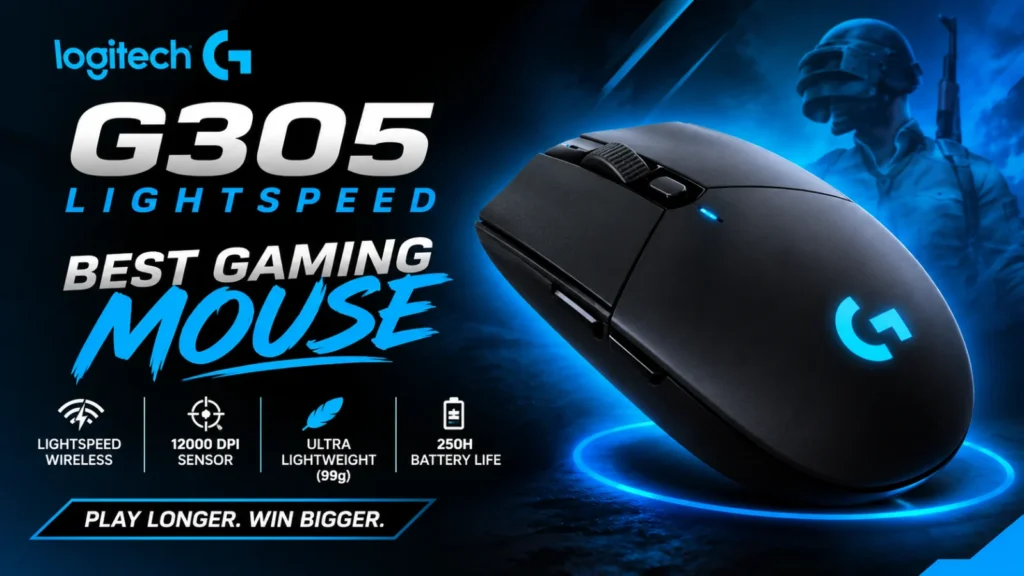
The best budget gaming mouse wirelessly is, according to PC Gamer, this egg-shaped model. It weighs 59 g, uses a PAW3395 sensor with 26,000 DPI, and connects by 2.4 GHz wireless, Bluetooth or USB-C. PC Gamer says it replaced the Logitech G305 Lightspeed as its budget pick and calls it a worthy successor. It lists at about $40 / £43. There is also a cheaper non-Pro version with a 12,000 DPI sensor.
The drawbacks: it isn’t suited to large hands, better-specced mice don’t cost much more, and the budget market has plenty of other good options.
Best Competitive Gaming Mouse: Logitech G Pro X3 Superstrike
This is the pick for the best gaming mouse for FPS players chasing every millisecond. It uses analog clicks, which let you adjust how far a button must be pressed and support rapid trigger (the button resets the moment you ease off). A haptic motor makes the button vibrate when the click registers. It has a 48,000 DPI Hero 2 sensor, a battery rated at 135 hours at 1 kHz, and weighs 59 g (US) or 61 g (EU). It lists at about $180 / £160.
Honest caveat: PC Gamer tested the clicks in reaction tests and found the benefit slight, not night and day. It also isn’t the lightest, needs Logitech’s G Hub software, and has mediocre side buttons.
Best Lightweight Gaming Mouse: Corsair Sabre V2 Pro
At just 36 g, this is the best lightweight gaming mouse PC Gamer has tested, and it has a solid shell without holes. It uses a 33,000 DPI optical sensor and supports 8,000 Hz polling. It lists at about $80 / £70 and needs no app to install.
To reach that weight, the battery gives up some life: 70 hours at 1 kHz, and only 16 hours at 8 kHz. There is only one onboard profile (settings saved in the mouse), and it’s best for competitive shooters, not every genre.
Best MMO Gaming Mouse: Corsair Scimitar Elite Wireless SE
This is the best MMO gaming mouse in PC Gamer’s list. It has 16 programmable buttons, including a 12-button key slider that moves to keep your most-used keys under your thumb.
Connects by 2.4 GHz wireless, Bluetooth or USB-C, with up to 150 hours over 2.4 GHz (RGB off). It lists at about $98 / £108 and works with Stream Deck actions.
The drawbacks: at 161 g it’s heavy, and it isn’t as fast as an esports mouse. It is also strictly right-handed.
Best Ambidextrous Gaming Mouse: Logitech G Pro 2 Lightspeed
Left-handed players take note. This mouse has a symmetrical shape, and you can move its magnetic side buttons to the other side. It weighs 80 g, has a 44,000 DPI Hero 2 sensor, and lists a battery life of up to 95 hours without lighting. It lists at about $118 / £110.
The drawbacks: PC Gamer says the software is poor, it isn’t very different from the previous G Pro, and there are far lighter mice now.
Best Ergonomic Gaming Mouse: Keychron M5
This is a vertical mouse, which you hold with your palm facing inward to reduce wrist strain. It weighs 95 g, uses a 30,000 DPI sensor, and connects by USB-C, a 2.4 GHz dongle or Bluetooth 5.3. PC Gamer lists up to 140 hours of battery and a price of about $70 / £75. The reviewer found it extremely comfortable.
The catch is the usual vertical-mouse trade-off: it isn’t ideal for fast shooters, because fine control is harder. Its 8,000 Hz polling doesn’t make it a better mouse, either.
Best for Battery Life: SteelSeries Rival Pro
This mouse never needs plugging in. It has hot-swappable batteries: swap the low one with the spare charging in the wireless puck. Each battery is rated at 60 hours. It weighs 53 g, uses ultra-wideband (UWB) wireless, and lists at about $180 / £170. A symmetrical version, the Sensei Pro, is also available.
The drawbacks: it’s expensive, it has no cable port at all, and the scroll wheel feel isn’t the most defined.
How to Choose the Best Gaming Mouse
Comfort comes first. PC Gamer says to put comfort at the top of your list, because a great spec sheet means nothing if the mouse hurts your hand. Consider your grip: palm (your whole hand rests on the mouse), claw (fingers arched) or fingertip (only the tips touch).
Weight matters for fast games. PC Gamer notes that anything under 100 g is often ideal for competitive mice, and lighter mice help with fast flicks. Heavier mice can still feel good, especially for MMOs.
Don’t worry about DPI. DPI (dots per inch) sets how far the cursor moves per inch of hand movement. PC Gamer says most players use well under 2,000 DPI, so sensors rated for 26,000 or 50,000 are mostly marketing headroom.
Check the connection and battery. Look for 2.4 GHz wireless, and consider how long the battery lasts at the polling rate you’ll actually use.
Think about buttons and noise. MMO players need many buttons. Optical switches feel great but can be loud.
Wireless vs Wired Gaming Mouse
Once a weak spot, wireless is now fine for gaming. PC Gamer says modern 2.4 GHz connections show no perceptible latency difference from a cable, and even pro players testing blind couldn’t tell them apart. Bluetooth is a different story: it can add unwelcome lag, so treat it as a backup, not your main connection.
Wired mice still win on price and never need charging. Wireless mice cost more and have batteries to manage. If you’re on a tight budget, a wired mouse like the Model O Eternal gives you more for your money.
Common Gaming Mouse Mistakes
- Buying the highest DPI. It rarely helps. Shape and weight matter far more.
- Ignoring hand size. PC Gamer warns that the Mchose G3 V2 Pro isn’t suited to large hands. A small mouse can leave your fingers cramped.
- Overpaying for features you won’t use. PC Gamer found the Superstrike’s faster clicks give only a slight edge. A cheaper mouse may serve you just as well.
- Ignoring noise. The Viper V4 Pro’s loud optical clicks won’t suit everyone, especially in shared rooms.
- Going too light for your game. The 36 g Sabre V2 Pro is aimed at competitive shooters. Other genres may suit a heavier, feature-rich mouse.
Do Other Experts Pick Differently?
Yes, and that’s worth knowing. TechRadar’s top pick for most people is the Razer DeathAdder V4 Pro, a model PC Gamer ranked first until its April 2026 update, when it moved the Viper V4 Pro to the top spot. Engadget lists the Razer Viper V3 Pro as its best symmetrical wireless mouse and the DeathAdder V4 Pro as its ergonomic pick. Rankings vary by tester, grip and budget, so read more than one review.
Best Gaming Mouse FAQ
1. What is the best gaming mouse overall?
As of October 2026, PC Gamer picks the Razer Viper V4 Pro, while TechRadar picks the Razer DeathAdder V4 Pro. Both are premium wireless mice, so your hand size and shape preference should break the tie.
2. What is the best gaming mouse for FPS games?
PC Gamer names the Logitech G Pro X3 Superstrike its best competitive mouse and the Corsair Sabre V2 Pro its best lightweight pick. The Viper V4 Pro is a strong all-round alternative.
3. What is the best budget gaming mouse?
For wireless, PC Gamer picks the Mchose G3 V2 Pro at about $40 / £43. For wired, it picks the Glorious Model O Eternal at about $40 / £30.
4. Is a wireless gaming mouse good for gaming?
Yes. According to PC Gamer, modern 2.4 GHz wireless shows no perceptible latency difference from wired. Avoid relying on Bluetooth for competitive games.
5. How much DPI do I need in a gaming mouse?
Very little. PC Gamer says most players use well under 2,000 DPI, so focus on comfort, weight and shape instead.
Final Thoughts on Choosing the Best Gaming Mouse
The best gaming mouse depends on you. As of October 2026, PC Gamer’s tested picks are the Razer Viper V4 Pro for most players, the Glorious Model O Eternal for a cheap wired option, and the Mchose G3 V2 Pro for budget wireless. Competitive players may like the Superstrike or the Sabre V2 Pro, while MMO players, left-handers and wrist-conscious gamers each have a dedicated pick.
Every mouse here has trade-offs, from loud clicks to high prices to hand-size limits. Prices and models change often, so check the official product page before you buy. This is an information blog: we don’t sell mice or offer downloads.
Sources
- PC Gamer, Best gaming mouse in 2026: https://www.pcgamer.com/the-best-gaming-mouse/
- TechRadar, The best gaming mouse in 2026: https://www.techradar.com/news/migliori-mouse-gaming
- Engadget, The best gaming mouse in 2026: https://www.engadget.com/best-gaming-mouse-140004638.html