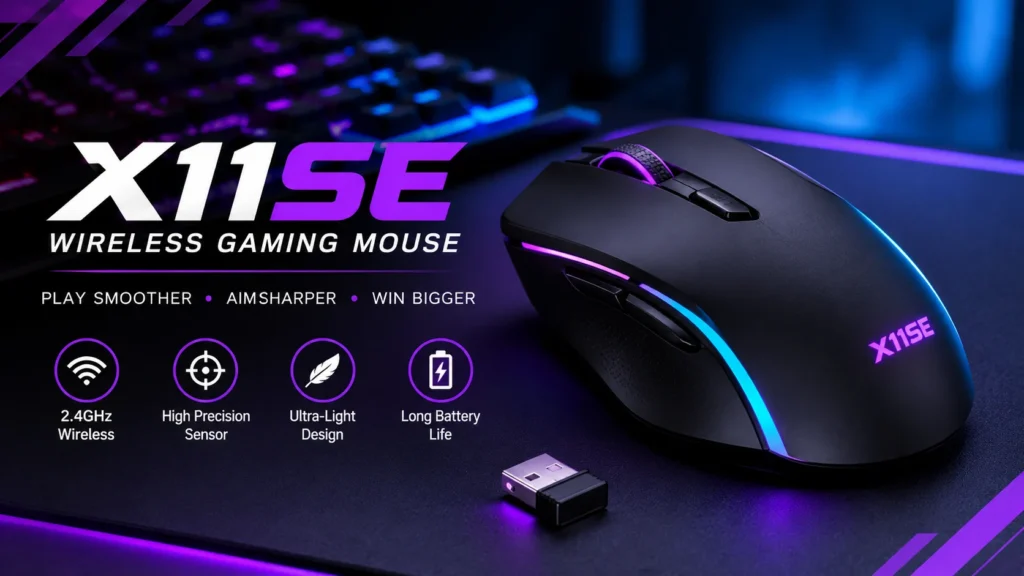

The X11SE wireless gaming mouse from Attack Shark is a budget, lightweight mouse that, on paper, offers a lot for roughly $25 to $30: a 59 g body, a PixArt PAW3311 sensor, tri-mode connectivity (2.4 GHz wireless, Bluetooth 5.2 and wired USB-C) and a claimed 65-hour battery.
Those numbers come from the maker and from stores selling it, not from independent tests.
That matters. We searched for reviews of the X11SE from established hardware sites and found none.
So this guide explains the specs in plain English, points out where sources disagree, and tells you what to check once the mouse arrives.
We list the honest drawbacks, and say who the X11SE suits and who should skip it.
We haven’t tested the mouse ourselves. This guide is based on Attack Shark’s own pages, retailer listings and the product manual.
This is an information blog, so we don’t sell mice or offer downloads. Check Attack Shark’s official site for current prices and specs.
Quick Facts
- Maker and model: Attack Shark X11SE
- Type: lightweight tri-mode wireless gaming mouse with a symmetrical shape
- Weight: 59 g (plus or minus 1 g) per Attack Shark. One retailer and the manual list about 63 g.
- Size: 128 x 64 x 40 mm
- Sensor: PixArt PAW3311, up to 22,000 DPI
- Connections: 2.4 GHz wireless, Bluetooth 5.2, wired USB-C
- Polling rate: 125 to 1,000 Hz
- Battery: 300 mAh, up to 65 hours claimed
- Buttons: 5 programmable
- Price: MSRP $29.99 per Attack Shark, with lower sale prices seen. Check before buying.
- Last checked: [add date before publishing]
- Note: This is an information blog. We don’t sell mice or offer downloads.
What Is the Attack Shark X11SE?
Attack Shark is a budget gaming-peripheral brand that sells many lightweight wireless mice. The X11SE is a slimmed-down relative of the Attack Shark X11. According to retailer listings, the main differences are that the SE version drops the X11’s charging base to cut weight, and uses a newer BK52820 wireless chip. The original X11 is listed at about 62 g with an RGB charging dock.
The X11SE appears to be a recent release. One Newegg listing says it was first listed on 4 August 2026. That may explain why independent coverage is thin.
Attack Shark X11SE Specs Explained
| Spec | Value (per Attack Shark) | What it means |
| Sensor | PixArt PAW3311 | The part that tracks your hand movement. PC Gamer says the same PAW3311 chip appears in some other budget mice. |
| DPI | 800 to 22,000, with 6 preset levels | DPI (dots per inch) sets how far the cursor moves per inch of hand movement. The presets are 800, 1,600, 2,400, 3,200, 5,000 and 22,000. |
| Tracking speed | 300 or 400 IPS (sources differ) | Inches per second the sensor can follow before it loses track. |
| Acceleration | 35 G or 40 G (sources differ) | How hard you can flick the mouse before tracking breaks. |
| Polling rate | 125 to 1,000 Hz | How often the mouse reports its position to your PC. |
| Wireless chip | BK52820 | The chip that handles wireless connections. |
| Connections | 2.4 GHz, Bluetooth 5.2, wired USB-C | Switch modes with a switch on the underside. |
| Switches | HUANO micro switches | Rated by Attack Shark for 20 million clicks. |
| Buttons | 5 programmable | Remappable through Attack Shark’s software. |
| Battery | 300 mAh, 65 hours claimed | Attack Shark says charging takes 2 to 3 hours. |
| Weight | 59 g (plus or minus 1 g) | One retailer and the manual say about 63 g. |
| Size | 128 x 64 x 40 mm | Length, width and height. |
| Feet | PTFE | The slippery pads under the mouse. |
| Colours | Black, white, red, berry red | Availability varies by store. |
Several of these numbers differ between Attack Shark’s own pages and retailer listings. We flag each in the sections below.
Weight: 59 g or 63 g?
Weight is the headline spec, and the sources disagree. Attack Shark’s product page and several Newegg and Best Buy Canada listings say 59 g (plus or minus 1 g). A different retailer listing, and the X11SE user manual, say about 63 g. The gap is small, but it’s worth knowing if you are choosing the mouse for being light.
We found no independent scale measurement from a reputable outlet. The honest answer is that the weight is probably somewhere between 58 g and 64 g. Weigh your unit on a kitchen scale when it arrives.
Sensor and DPI
The PAW3311 is a PixArt optical sensor, and Attack Shark rates it up to 22,000 DPI. That number mostly serves as marketing. PC Gamer says most players use well under 2,000 DPI, so you will likely never touch the top setting. What matters more is whether the sensor tracks smoothly, and we have no independent test of that.
The tracking speed and acceleration figures also vary. Attack Shark’s product text says 300 IPS, while its spec table and retailer listings say 400 IPS. For acceleration, the spec table says 35 G and one Newegg seller says 40 G. Treat these as approximate.
Connectivity: Three Modes
The X11SE can connect three ways. Attack Shark says the BK52820 chip supports wired USB-C, 2.4 GHz wireless with a USB receiver, and Bluetooth 5.2. A switch on the bottom changes modes, and the manual shows a slot for the receiver there too, so it’s easy to carry.
For gaming, 2.4 GHz is the mode to use. PC Gamer says modern 2.4 GHz connections show no perceptible difference from a cable, but that Bluetooth can add lag. Whether this particular mouse lives up to that is unverified. Polling tops out at 1,000 Hz, so there is no 4,000 Hz or 8,000 Hz option, which some pricier mice offer.
Battery Life and Charging
Attack Shark claims up to 65 hours from a 300 mAh battery, with a 2 to 3 hour charge, and adds that real battery life depends on how you use the mouse. We found no independent battery test. As a rule, battery life is shorter with higher polling rates and with Bluetooth and wireless in constant use, so treat 65 hours as a best case.
Unlike the original X11, the SE has no charging dock, so you charge it with a USB-C cable. That is the trade-off for the lower weight.
Clicks, Buttons and Software
Attack Shark says the X11SE uses HUANO micro switches rated for 20 million clicks, and a TTC scroll encoder. The listing calls the switch feel softer, which is a subjective claim. There are five programmable buttons, which is fewer than the X11’s seven.
The mouse comes with proprietary driver software. Attack Shark says it can change DPI, polling rate, lift-off distance (how high you can lift the mouse before it stops tracking) and macros (saved sequences of button presses). A web-based version also exists for Linux and macOS. The product page lists compatibility with Windows XP through 10 and Mac, so check Windows 11 support before buying.
Shape and Size
The X11SE has a symmetrical shape, according to MouseLog, at 128 x 64 x 40 mm. As a general guide, that is a medium-size mouse. Without independent comfort tests, we can’t say how it feels. Measure your hand and compare it with the dimensions, and think about your grip: palm (your whole hand rests on the mouse), claw (fingers arched) or fingertip (only the tips touch).
One caution: some lightweight mice use thin plastic shells that flex under pressure. We found no independent assessment of the X11SE’s build quality.
Price and Value
Attack Shark lists a $29.99 MSRP and has shown a sale price of $25.49. Other stores vary: MouseLog Japan lists ¥4,495, an Indian retailer listed ₹2,599 (down from ₹4,900), and a Lebanese retailer listed $23 but showed it out of stock. Attack Shark also advertises a 15-day return policy on its own store, which matters if you want to test the mouse.
For context, PC Gamer lists the Mchose G3 V2 Pro (59 g, 26,000 DPI PAW3395, tri-mode) at about $40 and the Glorious Model O Eternal (wired) at about $40. The X11SE undercuts both on price, but they have independent testing behind them and we don’t have the same for the X11SE.
Attack Shark X11SE Pros and Cons
Pros (per the maker and retailers)
- Very low price, around $25 to $30
- Claimed 59 g weight
- Three connection modes, including Bluetooth 5.2
- PAW3311 sensor, also used in some other budget mice
- Receiver storage and a mode switch on the underside
- Driver software with macros, plus a web version for Mac and Linux
- Several colours and a 15-day return window
Cons and cautions
- No independent reviews or lab tests that we could find
- Weight, tracking speed and acceleration figures conflict between sources
- Polling tops out at 1,000 Hz
- No charging dock, unlike the original X11
- Only five programmable buttons
- Build quality and wireless stability are unverified
- Windows 11 support isn’t listed on the product page
- Battery life is a claim, not a measurement
Who Should Buy It (and Who Should Skip It)
Buy it if you want a cheap, light wireless mouse for casual gaming or work, you are comfortable with a budget brand, and you will use the return window if something is wrong.
Skip it if you want a mouse with proven independent testing, a long warranty, 4,000 Hz or 8,000 Hz polling, or a charging dock. Competitive players may prefer a mouse with published latency results.
What to Check When It Arrives
Since there are no independent tests, check these yourself during the 15-day window:
- Weigh it on a kitchen scale and compare with the 59 g and 63 g claims.
- Test 2.4 GHz for dropouts or stutter, with the receiver plugged into a front port close to the mouse.
- Check the clicks for double-clicks and rattle.
- Test tracking on your mouse pad at the DPI you use.
- Watch battery use over a week of normal play.
Attack Shark X11SE FAQ
1. Is the Attack Shark X11SE good for FPS games?
On paper, a light mouse with a modern sensor and 1,000 Hz wireless suits FPS games. But we found no independent testing, so verify tracking and wireless stability yourself.
2. How much does the X11SE weigh?
Attack Shark says 59 g (plus or minus 1 g). One retailer and the manual say about 63 g. Weigh it to be sure.
3. How long does the X11SE battery last?
Attack Shark claims up to 65 hours and a 2 to 3 hour charge. That is a manufacturer claim, and real life will vary.
4. Does the X11SE have Bluetooth?
Yes. Attack Shark lists Bluetooth 5.2, 2.4 GHz wireless and wired USB-C. For gaming, use 2.4 GHz.
5. What is the difference between the X11 and the X11SE?
According to retailers, the X11SE has no charging dock, weighs less on paper, uses a newer BK52820 wireless chip and has five programmable buttons, while the X11 has an RGB dock and seven.
Final Verdict on the X11SE Wireless Gaming Mouse
The Attack Shark X11SE wireless gaming mouse is an inexpensive, lightweight option with an appealing spec sheet. As of late 2026, it’s a reasonable low-risk buy if you use the return window, and a poor pick if you need proven performance.
The drawbacks are real. There are no independent tests, key specs conflict between sources, and polling stops at 1,000 Hz. Check Attack Shark’s official site for current prices and specs. This is an information blog: we don’t sell mice or offer downloads.
Sources
- Attack Shark, X11SE product page: https://attackshark.com/products/attack-shark-x11se-wireless-gaming-mouse
- Attack Shark, X11SE product page (Korean, with spec table): https://attackshark.com/ko/products/attack-shark-x11se-wireless-gaming-mouse
- Attack Shark, X11SE product page (UK): https://attackshark.co.uk/products/attack-shark-x11se-wireless-gaming-mouse
- Attack Shark, X11SE user manual: https://manuals.plus/asin/B0FB3JRK33